
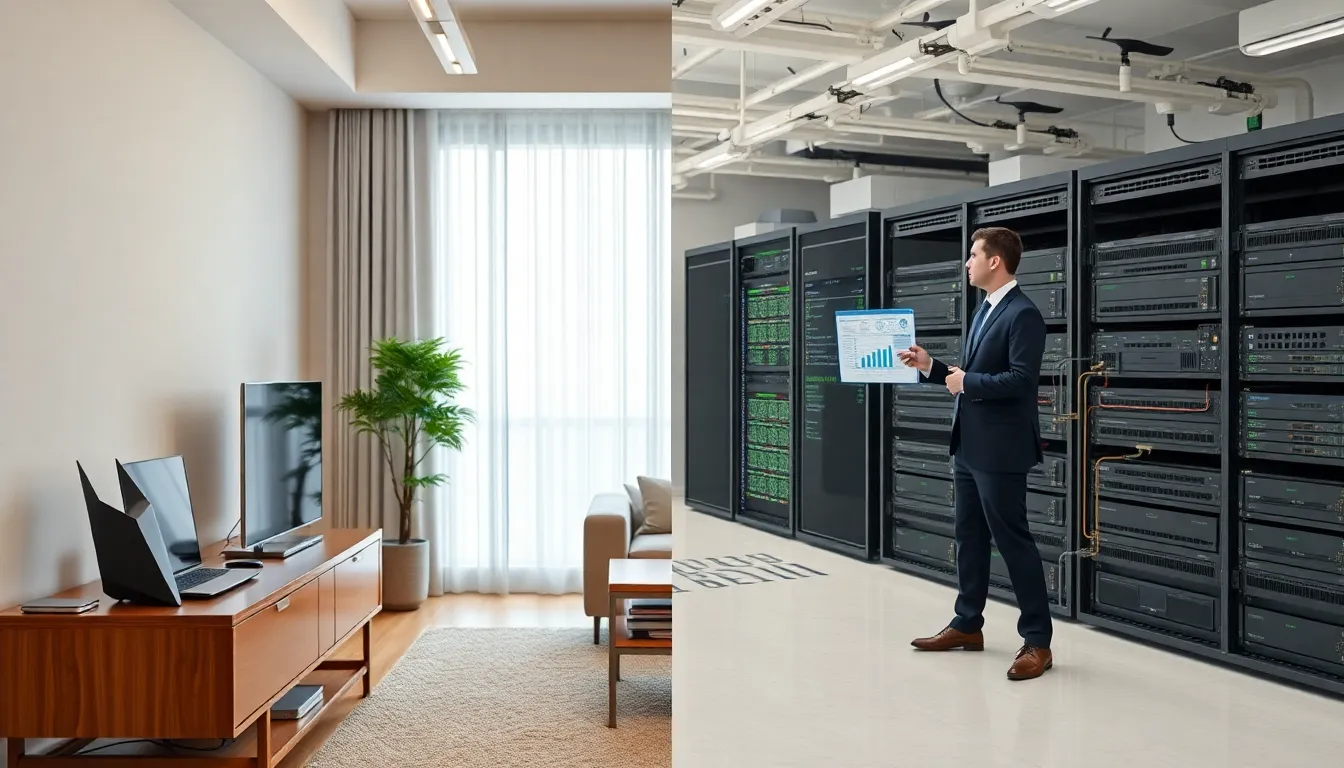

Home networking vs. business networking, which setup fits your situation? The answer depends on scale, security needs, and how many devices demand reliable connections. A home network connects a handful of personal devices. A business network supports dozens or hundreds of users with stricter security protocols and advanced management tools. Understanding these differences helps people make smarter decisions about their network infrastructure. This guide breaks down home networking vs. business networking, covering hardware, security, and the factors that determine which approach works best.
Table of Contents
ToggleKey Takeaways
- Home networking supports 10–25 devices with simple, affordable equipment ($100–$500), while business networking handles hundreds of users with enterprise-grade infrastructure costing $5,000–$20,000+.
- The biggest difference in home networking vs. business networking is security—businesses use layered protections like next-generation firewalls, intrusion detection, and 802.1X authentication.
- Business networks require near-constant uptime (99.9%+), redundant connections, and compliance with regulations like HIPAA or PCI-DSS, which home setups don’t need.
- Choose your network type based on user count, data sensitivity, uptime requirements, available technical expertise, and budget.
- A hybrid approach works well for some—using consumer-grade equipment in low-priority areas while deploying enterprise hardware where security and performance matter most.
What Is Home Networking?
Home networking connects personal devices within a residence. This includes smartphones, laptops, smart TVs, gaming consoles, and IoT devices like thermostats or security cameras.
Most home networks rely on a single router provided by an internet service provider (ISP). This router handles both wired and wireless connections. Users plug it in, set a password, and connect their devices.
Typical home networking setups support 10 to 25 connected devices. The average U.S. household now has around 22 connected devices, according to recent industry data. That number continues to grow as smart home technology becomes more common.
Home networks prioritize convenience over complexity. Setup takes minutes rather than hours. Most users never touch advanced settings like port forwarding or QoS (Quality of Service) configurations.
Bandwidth demands vary throughout the day. Morning might see light email use. Evenings bring streaming, gaming, and video calls competing for the same connection. A solid home networking setup handles these fluctuations without manual intervention.
The equipment cost stays relatively low. A quality consumer router costs between $100 and $300. Mesh systems, which extend coverage across larger homes, run $200 to $500. These prices cover most residential needs without enterprise-grade features.
What Is Business Networking?
Business networking connects employees, customers, and systems across an organization. The scale ranges from small offices with 10 users to enterprises with thousands of endpoints spread across multiple locations.
Business networks require more sophisticated infrastructure. A typical setup includes enterprise-grade routers, managed switches, access points, and firewalls. These components work together to deliver consistent performance and security.
Network segmentation separates different types of traffic. Guest Wi-Fi stays isolated from internal systems. Point-of-sale terminals operate on their own VLAN (Virtual Local Area Network). This separation limits exposure if one segment gets compromised.
Managed services play a central role in business networking. IT teams monitor traffic patterns, identify bottlenecks, and respond to threats in real time. Many organizations use network management software to track every connected device and enforce security policies.
Uptime expectations differ dramatically from home use. Businesses often require 99.9% or higher availability. Redundant connections, backup power systems, and failover protocols help achieve these targets.
Compliance requirements add another layer. Healthcare organizations follow HIPAA guidelines. Financial services adhere to PCI-DSS standards. These regulations dictate specific security measures that business networking must incorporate.
Equipment costs reflect this complexity. Enterprise routers start around $500 and can exceed $10,000 for high-capacity models. Factor in switches, access points, firewalls, and management software, and a small business might spend $5,000 to $20,000 on networking infrastructure.
Core Differences Between Home and Business Networks
The gap between home networking vs. business networking comes down to scale, security, and management capabilities. Both serve the same basic function, connecting devices to the internet and each other, but they approach this task very differently.
Hardware and Equipment Considerations
Home networking hardware prioritizes simplicity. Consumer routers combine multiple functions into one device: routing, switching, wireless access, and basic firewall protection. This all-in-one approach keeps costs down and simplifies setup.
Business networking separates these functions across dedicated devices. A typical business setup includes:
- Enterprise routers that handle traffic routing with advanced features
- Managed switches offering granular control over network traffic
- Commercial access points supporting more simultaneous connections
- Dedicated firewalls with intrusion detection and prevention
Performance specifications highlight the hardware differences. Consumer routers might support 50-100 concurrent connections. Enterprise access points handle 200-500 connections per unit. This capacity gap matters when dozens of employees need reliable access.
Power over Ethernet (PoE) appears frequently in business networking. This technology delivers power through network cables, simplifying deployment of access points and IP cameras. Home networking rarely uses PoE unless the homeowner has specific technical requirements.
Security and Management Requirements
Security represents the biggest difference when comparing home networking vs. business networking.
Home networks use basic protections: WPA3 encryption, simple passwords, and the router’s built-in firewall. These measures stop casual attacks but offer limited defense against sophisticated threats.
Business networks layer multiple security measures:
- Next-generation firewalls that inspect traffic at the application level
- Intrusion detection systems that flag suspicious activity
- VPN access for remote workers
- Network access control that verifies devices before granting access
- Regular security audits and penetration testing
Management complexity scales with network size. Home users check their router’s admin page occasionally, maybe to change the Wi-Fi password or restart the device. Business IT teams monitor networks constantly, using dashboards that display real-time traffic, connected devices, and potential security events.
Authentication systems differ too. Home networks typically use a shared password. Business networks often carry out 802.1X authentication, requiring individual credentials for each user. This approach creates accountability and makes it easier to revoke access when employees leave.
Choosing the Right Network Setup for Your Needs
The choice between home networking vs. business networking depends on several practical factors.
Number of users and devices matters most. A household with five people and 25 devices fits comfortably within home networking parameters. An office with 15 employees, each using multiple devices, needs business-grade infrastructure.
Data sensitivity influences the decision. Handling customer payment information, medical records, or proprietary business data requires stronger security controls than personal browsing and streaming.
Uptime requirements affect equipment choices. If network downtime costs money or disrupts operations, redundant connections and enterprise hardware justify their higher price tags.
Technical expertise available shapes what’s realistic. Home networking assumes minimal technical knowledge. Business networking often requires dedicated IT staff or managed service providers.
Budget constraints guide final decisions. A home network costs under $500 for quality equipment. Business networks start around $2,000 for small offices and scale up quickly.
Some situations blur the line. Home offices supporting remote work might benefit from business networking features like VPN support and better security. Small businesses with simple needs might operate fine with prosumer equipment that sits between consumer and enterprise grades.
The hybrid approach works for many organizations. They use consumer-grade equipment in break rooms or guest areas while deploying enterprise hardware where it matters most.


