
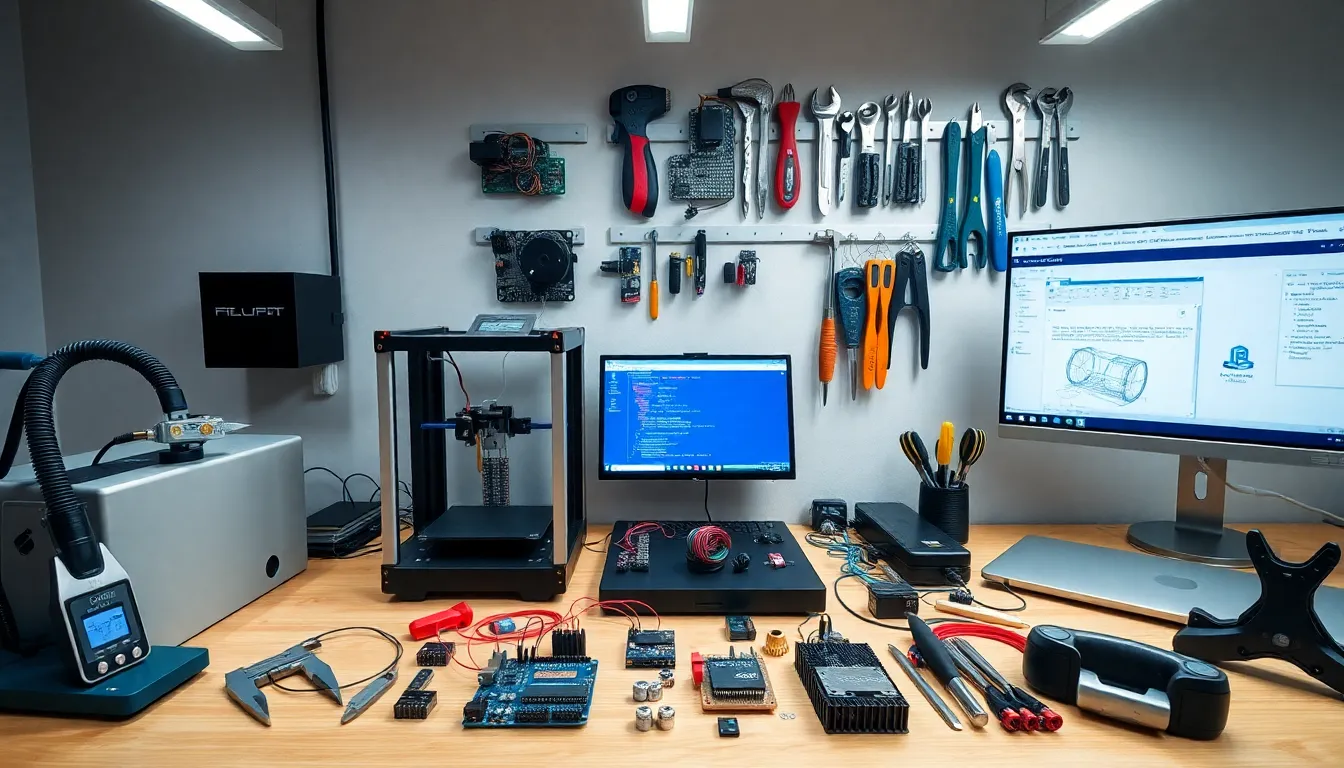

Robotics tools form the foundation of every successful robot project. Whether someone is building a simple wheeled bot or a complex autonomous system, the right equipment makes the difference between frustration and success. This guide covers the essential hardware, software, sensors, and components that makers, engineers, and hobbyists need to bring their robotic creations to life. From soldering irons to integrated development environments, these robotics tools turn ideas into working machines.
Table of Contents
ToggleKey Takeaways
- Essential robotics tools include hardware (soldering stations, 3D printers, measurement instruments), software platforms (Arduino IDE, Python, ROS), and sensors that work together to bring robot projects to life.
- A quality soldering station (40-60 watts, temperature-controlled) ranks among the most important robotics tools for electronics assembly and long-term project success.
- Python and ROS have become dominant software robotics tools, offering libraries for computer vision, sensor processing, and complex multi-system robot communication.
- Simulation platforms like Gazebo save time and money by testing robot behavior virtually before physical construction begins.
- Match your robotics tools to your project scope, budget, and skill level—beginners can start with an Arduino kit under $50, while complex autonomous systems require more advanced equipment.
- Prioritize quality over quantity: five reliable robotics tools outperform twenty mediocre ones, and investing in better equipment prevents costly repurchases later.
Hardware Tools for Robot Construction
Building robots requires a solid set of physical tools. The basics include screwdrivers, pliers, wire cutters, and hex keys. Most robotics kits use metric fasteners, so a metric Allen wrench set proves invaluable.
A quality soldering station ranks among the most important robotics tools for assembly work. Temperature-controlled irons between 40-60 watts handle most electronics soldering tasks. Add solder wick, flux, and a helping hands holder to complete the soldering setup.
Power tools speed up construction significantly. A rotary tool with cutting and grinding attachments shapes materials quickly. A cordless drill with various bit sizes handles mounting holes and fastener installation. For precise cuts, a small bandsaw or scroll saw works well with aluminum, plastic, and wood.
3D printers have become standard robotics tools in recent years. They produce custom brackets, housings, and structural components on demand. FDM printers using PLA or PETG filament offer good strength at reasonable cost. Resin printers deliver finer detail for smaller parts.
Measurement tools ensure accuracy during assembly. Digital calipers measure parts to 0.01mm precision. Multimeters check electrical connections and voltage levels. A good set of robotics tools includes both instruments.
Workholding equipment keeps parts stable during cutting and drilling. Bench vises, clamps, and magnetic holders prevent movement. These simple robotics tools improve safety and cut quality dramatically.
Software and Programming Platforms
Software robotics tools bring hardware to life through code. Arduino IDE remains the go-to platform for beginners and experienced builders alike. It supports numerous microcontroller boards and offers thousands of libraries for motors, sensors, and communication protocols.
Python has become a dominant language for robotics programming. Libraries like PySerial communicate with hardware directly. OpenCV handles computer vision tasks. NumPy and SciPy process sensor data efficiently. These software robotics tools run on everything from Raspberry Pi boards to full workstations.
ROS (Robot Operating System) provides a framework for complex robotic systems. It handles communication between different robot subsystems through a publish-subscribe model. ROS includes simulation tools, visualization software, and pre-built packages for common robotics functions. Version ROS 2 offers improved real-time performance and security features.
Simulation platforms test robot behavior before physical construction. Gazebo simulates physics, sensors, and environments accurately. Webots offers another option with built-in robot models. These robotics tools save time and money by catching design problems early.
CAD software creates mechanical designs before fabrication. Fusion 360, FreeCAD, and OnShape generate 3D models and technical drawings. They integrate with 3D printers and CNC machines for direct manufacturing. Circuit design tools like KiCad and EasyEDA layout custom PCBs.
Version control systems like Git track code changes across projects. They enable collaboration and provide backup protection. Professional robotics tools workflows always include version control.
Sensors and Electronic Components
Sensors give robots awareness of their surroundings. Ultrasonic sensors measure distance using sound waves. They work well from 2cm to 4m range and cost just a few dollars each. IR proximity sensors detect nearby objects at shorter ranges.
IMUs (Inertial Measurement Units) track orientation and movement. A typical 6-axis IMU combines an accelerometer and gyroscope. 9-axis versions add magnetometers for compass heading. These robotics tools enable balance control and dead reckoning navigation.
Encoders measure wheel rotation and motor position. Optical encoders offer high resolution for precise movement. Magnetic encoders resist dust and debris better. Both types provide feedback for closed-loop motor control.
Cameras add vision capabilities to robots. USB webcams work for basic projects. Specialized cameras like Intel RealSense provide depth sensing. Camera modules for Raspberry Pi and similar boards offer compact integration.
Motor drivers convert low-power control signals into high-current outputs. L298N modules handle DC motors up to 2A per channel. TB6612 drivers offer better efficiency. For stepper motors, A4988 and DRV8825 drivers provide microstepping control. These robotics tools bridge the gap between microcontrollers and actuators.
Power distribution components complete the electronics package. Buck and boost converters regulate voltage levels. LiPo batteries deliver high current in compact packages. Fuses and protection circuits prevent damage from shorts and overloads.
Choosing the Right Tools for Your Project
Project requirements determine which robotics tools make sense. A simple line-following robot needs basic hand tools, an Arduino, and a few sensors. A walking robot demands more sophisticated software, better sensors, and precision mechanical tools.
Budget plays a major role in tool selection. Beginners should start with affordable robotics tools and upgrade as skills develop. A basic Arduino starter kit costs under $50 and includes enough to learn fundamentals. Professional-grade equipment costs significantly more but lasts longer and performs better.
Skill level matters too. New builders benefit from integrated robotics tools with good documentation and community support. Arduino and Raspberry Pi ecosystems excel here. Experienced engineers might prefer more flexible but complex options.
Consider the workspace available. Small apartments limit large power tools. Portable robotics tools and compact workbenches work better in tight spaces. Noise considerations may rule out certain equipment in shared living situations.
Future projects deserve thought during purchasing decisions. Buying slightly better robotics tools than immediately needed prevents repurchasing later. A temperature-controlled soldering station serves for years across dozens of projects.
Quality matters more than quantity. Five excellent robotics tools outperform twenty mediocre ones. Invest in reliable brands for items used frequently. Save money on specialized tools needed only occasionally.


